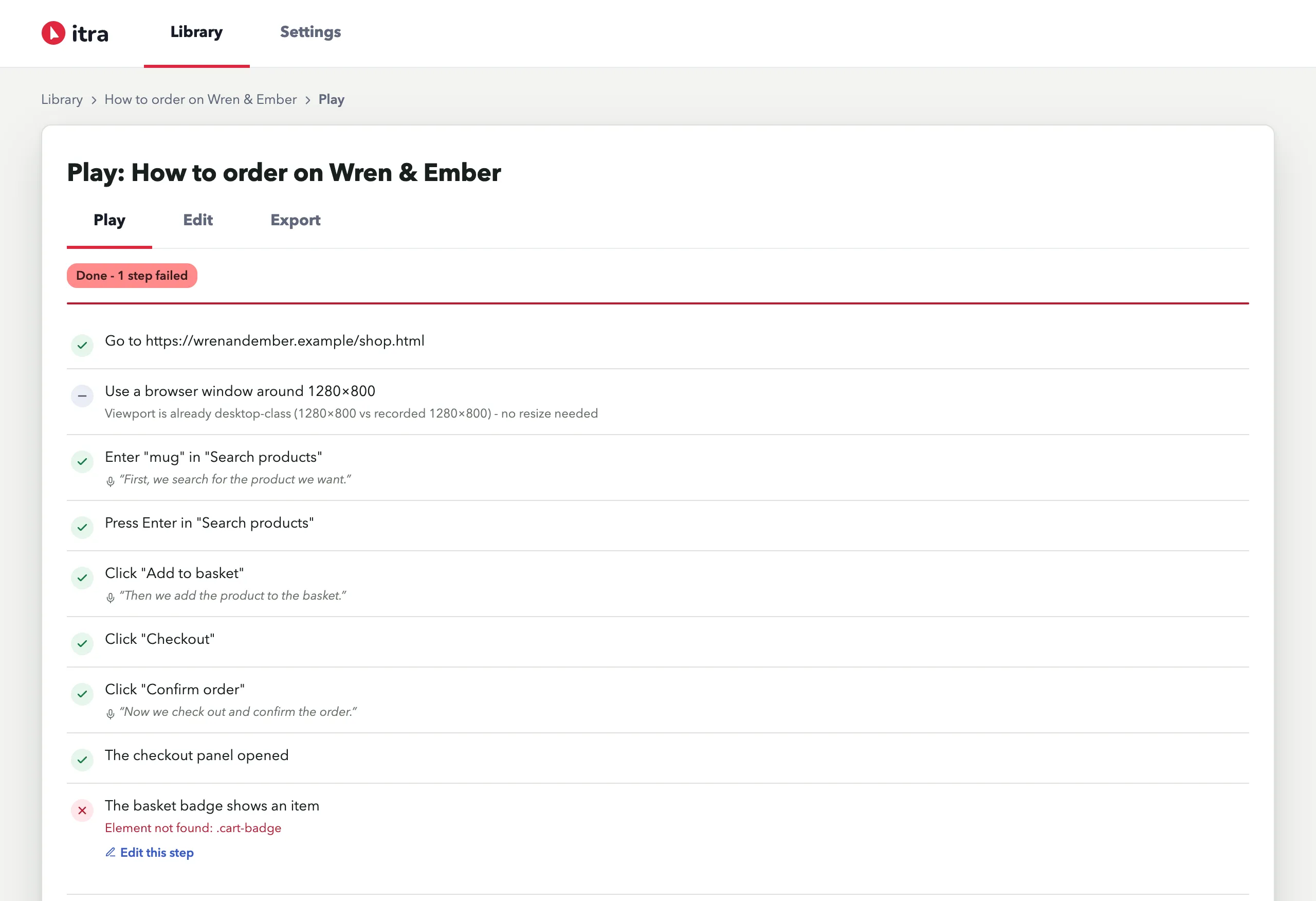

Checks
Checks are steps that pass or fail during replay. They are what let you replay a guide after a release and see at a glance whether your flow still works.
Add one with Add check in the editor (it appends a check step with its Details open), or convert any hand-added step by setting its Action to Check. You can also add checks while a replay is paused: press Pause, and the replay page offers a picker that lets you click the element on the page instead.
Three check types:
Element
Section titled “Element”Passes when a CSS selector exists - and, if you set expected text, when the element’s text contains it.
| Goal | Selector | Expected text |
|---|---|---|
| Order confirmation appeared | #order-confirmation |
Thank you |
| The basket badge shows an item | .cart-badge |
1 |
| An error banner is present (error paths are worth checking too) | .form-error |
required |
| A button simply exists | #export-csv |
(leave empty) |
Meta tag
Section titled “Meta tag”Passes when a <meta> with the given name or property exists - and, with
expected content set, when its content contains it. Useful for SEO and social
tags nobody notices breaking.
| Goal | Meta name / property | Expected content |
|---|---|---|
| Page has a description | description |
(empty - just exists) |
| OG title carries the product | og:title |
Checkout |
| Robots isn’t accidentally noindex | robots |
index |
Passes when the page’s address contains your text.
| Goal | Address contains |
|---|---|
| Checkout ended on the confirmation page | /order-complete |
| You landed in the account area | /account |
Negating a check, stopping on failure
Section titled “Negating a check, stopping on failure”Any check can be negated, so that it passes when the condition fails - that is how you say “this error must not appear”. Any step can be set to stop the replay if it fails. Both live in the step’s Details.
Checking a flow after a release
Section titled “Checking a flow after a release”- Record your critical path once, narrating it.
- Add checks at the moments that matter: the confirmation element, the
/order-completeURL, the meta tag your SEO depends on. - After each release, hit Replay - every check shows ✓ or ✕ with the failure reason inline.